← ASOBI home Request a 15-minute demo

Interactive previews

Faithful previews of the Asobi evaluation flow: live booking, checkout, session building, dashboard readout, and switching plan.

Live product

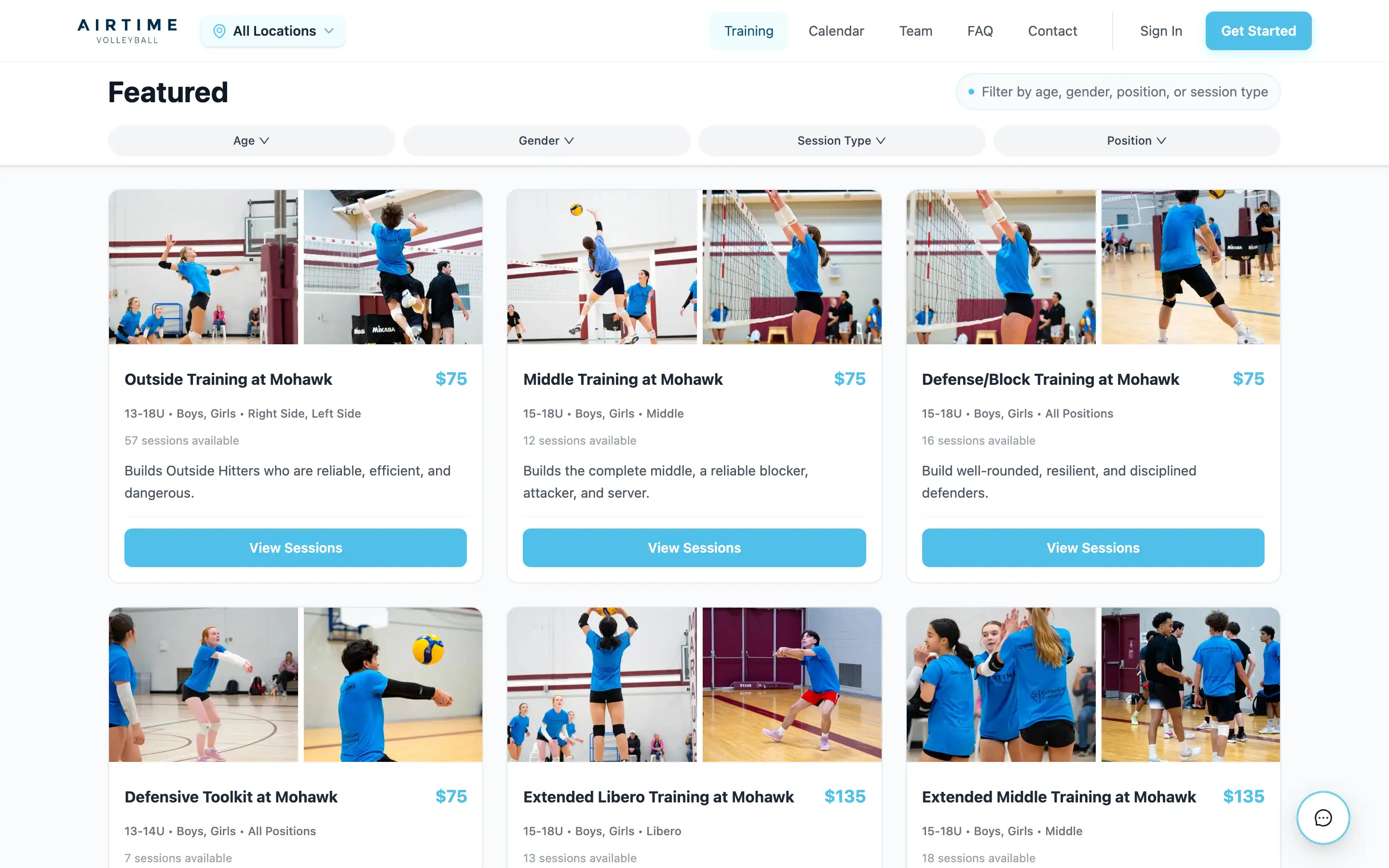
Live booking for our Hamilton facility

Live booking for AIRTIME Volleyball, our Hamilton facility.

Filters Session cards Age, capacity, price
  • Public sessions, pricing, capacity, age, and skill rules are visible before checkout.
  • Families move from a real AIRTIME booking surface into Asobi checkout.
  • If the live view won’t load here, the link opens the same booking page in a new tab.

One-cart checkout

Product previewsample data

Sample data. Same booking rules.

Your cart

  • Skills SessionMaya$75.00 (sample price)
  • Private LessonMaya$90.00 (sample price)
Choose how to pay

Show how each payment is applied

Watch credit, promo, points, and balance resolve in the same order as the receipt.

0 / 5,000 pts (sample balance) · $0.00
$50.00 available (sample)

Build the week

Product previewsample data

Sample data. Same booking rules.

Templates

Choose up to 3 templates.

Dates

Skill

Capacity

Applied to selected templates

8

Week grid

4 sessions added to your week.

Linked series

Sat Jun 6

Skills Session

Intermediate · Coach Rivera

8 spots

Series-linked

Private Lesson

Intermediate · Coach Rivera

8 spots

Series-linked

Sat Jun 13

Skills Session

Intermediate · Coach Rivera

8 spots

Series-linked

Private Lesson

Intermediate · Coach Rivera

8 spots

Series-linked

Read the business

Product previewsample data

Sample data. Same booking rules.

Business pulse

Switch between week and month to see the operating picture move.

Showing the week view: revenue, cash, sessions, bookings, fill rate, and new families update together.

Booked revenue

$915

Cash collected

$778

Sessions

10

Bookings

44

Fill rate

73%

New families

7

Fill rate

73%

Booked spots divided by available capacity for the selected period.

Coach leaderboard

Coach Rivera5 sessions
Coach Tanaka3 sessions

Switch with confidence

Product previewsample data

Sample data. Same booking rules.

Athlete count
Current tools
Migration details

Pilot frame

Pilot shape: one location, 150 to 500 athletes, currently using spreadsheets, payment tools, and a separate website.

Use this checklist to decide what belongs in the pilot conversation.

What we need from you

  • Session catalogue: names, prices, capacity, ages, levels, coaches, and locations.
  • Household and athlete list with guardian emails.
  • Current credits, make-up balances, account balances, and unused sessions families have already paid for.
  • Waiver versions, medical fields, and which athletes have completed them.
  • Domain or subdomain access so the booking site can launch under your brand.

What Asobi configures

  • A pilot booking site with your sports, locations, session rules, and pricing.
  • Checkout that accepts credits, promo codes, points, balances, tax, and card payment.
  • Staff schedule views for templates, series, capacity, and coach assignments.
  • Operator dashboard tiles for revenue, sessions, bookings, fill rate, and new families.
  • Custom domain handoff and launch checks.

How we stage the pilot

  • We configure the first pass with your team.
  • Start with the sessions that show whether the workflow fits, then expand once staff have reviewed the pilot.
  • Move to family booking only after your team has approved catalogue, pricing, waivers, and checkout rules.

Send the plan through your mail app when you are ready.

Send this setup

Want this running on your own sessions?